Have you ever come across a missed call from an unknown number and wondered who it was? Or maybe you accidentally deleted your call log and now need those details back? Knowing how to check call history online can be extremely helpful in such situations. Whether it’s for personal safety, business tracking, or parental supervision, understanding the right and legal ways to access call details can save time and stress.
Table of Contents
Why Would You Need to Check Call History?
There are many everyday situations where checking call history becomes useful. Some of the most common reasons include:
1. Identifying Unknown Callers
Unknown calls can be confusing or even risky. Checking call details helps you identify whether the number belongs to a genuine caller, a business, or a spam source, so you can decide whether to respond or block it.
2. Business Call Monitoring
For business owners and managers, reviewing call logs helps track customer interactions, ensure no important calls are missed, and improve service quality through better call management.
3. Recovering Missed or Deleted Calls
Accidentally deleted your call log? Call history recovery allows you to reconnect with important contacts you may have missed.
4. Parental Supervision
Parents may want to review their child’s call activity to ensure their safety and protect them from unwanted or unknown contacts — always with proper consent and awareness.
How to Check Call History Directly on Your Phone
You don’t always need online tools. Your smartphone already stores recent call data.
On Android Phones
- Open the Phone/Dialer app.
- Tap on Recents or Call History.
- Select any number to see details like call type (incoming/outgoing), time, date, and duration.
On iPhone
- Open the Phone app.
- Go to the Recents tab.
- Tap the (i) icon next to a number to view full call details.
This method is quick, free, and works best for checking your own call history.
Ways to Check Call History Online for Free (With Permission)
1. Through Mobile Carrier Websites
Most telecom providers offer online dashboards or mobile apps where users can log in and view call logs, including dates, times, and call duration.
2. Using Cloud Backups
If call logs were backed up to Google Drive (Android) or iCloud (iPhone), you can restore them by signing into the linked account.
3. Via Phone Bills
Monthly phone bills often include detailed call records. This is one of the most reliable and legal ways to check call history if you have access.
Using Third‑Party Call History Monitoring Tools
When built‑in options aren’t enough, monitoring tools can help — especially for parents and employers. These tools require prior consent and initial access to the device.
1. mSpy
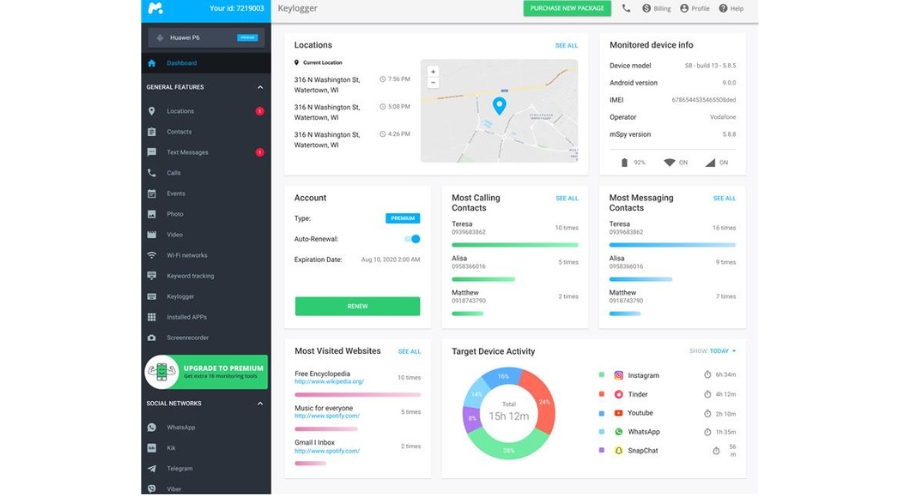
A popular monitoring solution for parents and businesses.
Key Features:
- View call duration, date, and time
- Match calls with contacts
- Real‑time activity updates
Pros: Easy to use, reliable
Cons: Paid plans after trial, requires setup access
2. FlexiSPY
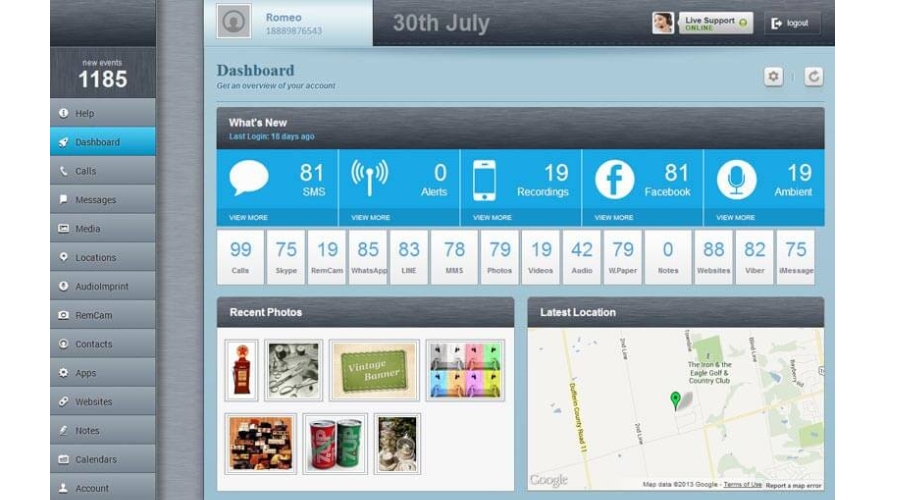
An advanced monitoring tool with professional‑grade features.
Key Features:
- Live call listening (where legal)
- Call recording and alerts
- Detailed call reports
Pros: Powerful features
Cons: Expensive, may require rooting/jailbreaking
3. KidsGuard Pro
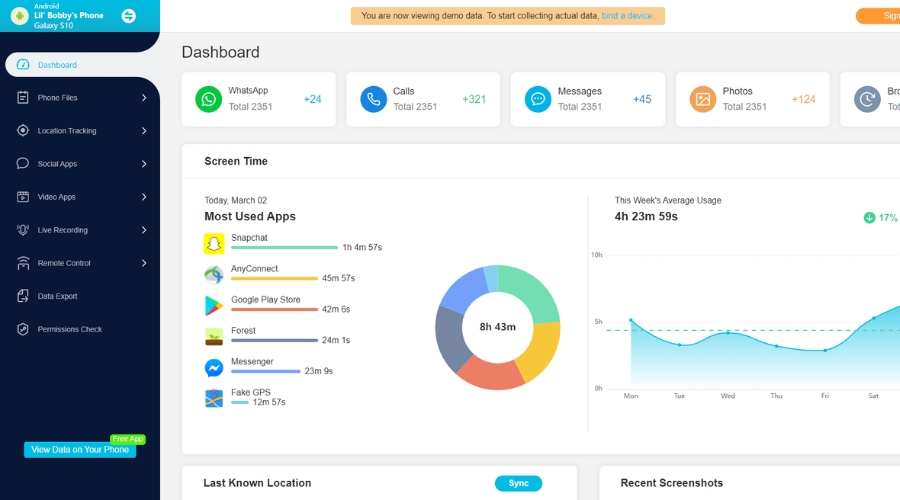
Designed mainly for parental monitoring.
Key Features:
- View incoming, outgoing, and missed calls
- Timestamps and contact names
- Location and app monitoring
Pros: Beginner‑friendly
Cons: Limited iOS features
4. Highster Mobile
A one‑time purchase monitoring solution.
Key Features:
- Access call logs and deleted data
- GPS and media monitoring
Pros: No monthly fees
Cons: Limited customer support
5. uMobix
A modern tracking tool with real‑time updates.
Key Features:
- Full call history access
- Deleted and hidden call tracking
- Social media monitoring
Pros: Clean dashboard, good support
Cons: Subscription‑based pricing
Checking Call History Through Network Providers
If you want official records, your mobile network provider is the best option.
- Verizon: Log in → My Usage → View Usage Details
- AT&T: Sign in → Phone Features → Call Logs
- T‑Mobile: Log in → Usage → Select line → View call details
These records are accurate and legally reliable.
Checking Call History on Call Service Platforms
1. CRM & Call Center Software
Businesses using CRM or cloud telephony systems can access detailed call logs, reports, and recordings from their dashboards.
2. VoIP Services
Platforms like Google Voice, Zoom Phone, and cloud calling systems store call data that can be filtered and downloaded easily.
3. Modern Landline Phones
Many digital landlines store recent call history directly on the device.
Tips to Avoid Losing Call History
- Enable automatic cloud backups
- Download call records periodically
- Keep telecom bills saved
- Use trusted apps only
Conclusion
Checking the call history of any number can help you stay organized, reconnect with missed contacts, and maintain clear communication records. Whether you use your phone, network provider, cloud backup, or a reliable third‑party tool, always ensure your method is legal, ethical, and secure.
With the right approach and proper consent, accessing call details online becomes simple, safe, and stress‑free.